
HuntWise is now on Apple CarPlay
Every hunt starts with a drive.
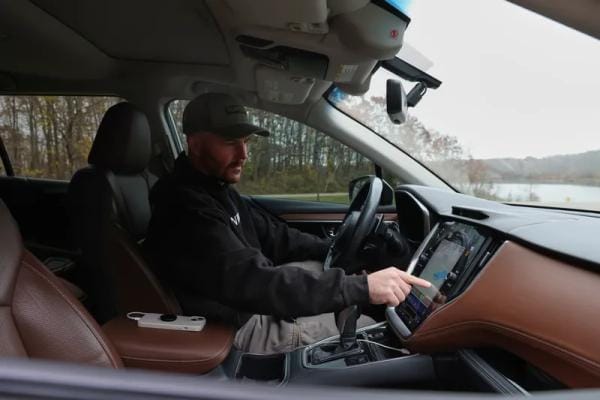
HuntWise is now on CarPlay. Plug in your iPhone and your map is on the car display, with a pin drop ready for when you pull off somewhere worth coming back to.
HuntWise CarPlay
How to Get It
- 1 Update HuntWise to the latest version in the Apple Store
- 2 Connect your iPhone to a CarPlay-compatible vehicle wired or wireless
- 3 Tap HuntWise on the car display. If it is missing: Settings, General, CarPlay, your car, Customize
Siri Commands work only while your iPhone is connected to CarPlay. iPhone and CarPlay only, no Android. Needs cell service, like the app. Landowner phone numbers stay on the iPhone, so call once parked.
What You Can Do from the Dash
CarPlay keeps it simple on purpose. See your map. Mark your spots. Landowner info + the spots you mark are still available on your phone when your vehicle is in park.
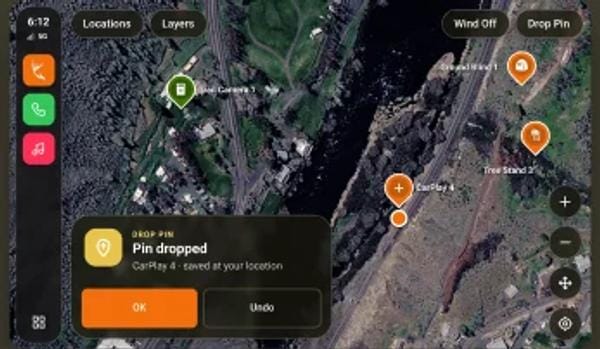
Map + pin drops
Your basic map on the dash, and a pin drop for when you pull off somewhere worth coming back to.
Mark it while you remember it
The gate, the crossing, the field you passed at last light. By the time you park, it is already a blur. Pin it, and it shows up in HuntWise on your phone with a car icon, so it is easy to find when you plan the next sit.
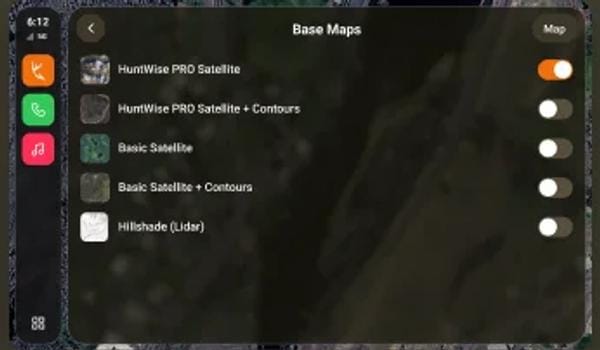
More layers
Property lines, the Pro base layer, and 3D maps on the dash. Upgrade on your phone.
Property lines show parcel boundaries. They do not grant permission to hunt.
Hey, Siri...
“Check my stands and blinds in HuntWise”


“As police officers we have seen the danger of distracted drivers using their cell phones while driving. That’s why we’re excited about HuntWise being available through Apple CarPlay as hunters can scout using voice commands through Siri while remaining safe. Cool idea HuntWise! We salute you!”
Jared Bruno and Matt Steele, Blueline Bowhunters


Questions and terms
What do I need to use HuntWise on CarPlay?
Is HuntWise on CarPlay free?
Is it safe to use while driving?
Does it work with no cell service?
Are Siri Voice Commands free for all users?
Whats free with CarPlay?
Whats do you get with Paid (Pro and Elite)?
What are the Siri Voice Commands that I can use?

Coming soon to Android.
Leave your email and we will let you know when HuntWise is ready for your car.
By signing up you agree to get emails from HuntWise. Unsubscribe anytime.